How Frogg works
In short
Frogg keeps each day short: one frog (the task you keep putting off), 2 important tasks and up to 5 small ones. A 2-minute first step and a 5-minute timer help you start, reminders name the task, and an evening review closes the day. Nothing turns red; unfinished tasks move on.
Frogg turns the “eat the frog” method into a routine you repeat every day. It doesn’t ask you to plan your whole week or sort fifty tasks. It asks one question each morning: which task are you putting off?
How do you plan your day in Frogg?
Every morning, or the evening before, you pick three kinds of tasks from your list:
- Your frog: the task you keep putting off. Taxes, a phone call, a form.
- 2 important tasks: what matters today after the frog.
- Up to 5 small tasks: quick things you can tick between two bigger ones.
That’s your day. Nothing more. Planning takes about a minute, and you can do it the evening before so the morning starts with a decision already made. The morning plan guide walks through it.
What helps you start the frog?
Three things, because starting is the hard part:
- A 2-minute first step. Instead of “do my taxes”, the first step is “open the tax website”. Small enough that you can’t argue with it. See the 2-minute first step.
- Just 5 minutes. Start the timer and work on the frog for 5 minutes. You can stop after 5 minutes if you want. It still counts. See the 5-minute rule.
- A start time. “At 10, I open the tax website.” Frogg reminds you at that time.
How do Frogg’s reminders work?
Reminders name the task, so you know what you’re being asked to do without opening the app: “Let’s do the taxes now.” You can tick a task right from the notification. You choose how often Frogg nudges you: off, light, normal or coach.
What happens to tasks you don’t finish?
Nothing turns red. A task you didn’t get to moves to tomorrow, goes back to your list, or gets dropped: you decide. Your streak forgives one rest day a week, so one bad day doesn’t erase a good week.
What is the evening review?
A short look back at the end of the day: what you did, your points and the next step. It’s where you can pick tomorrow’s frog, so you don’t have to decide in the morning. See the evening review.
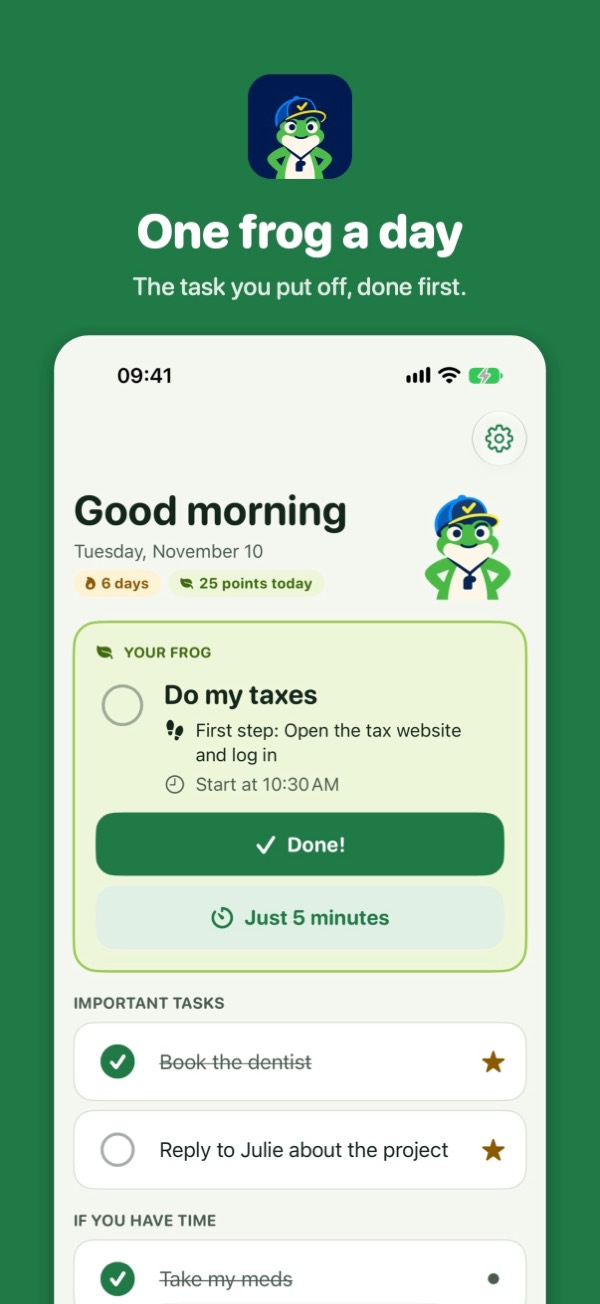 One frog a day: the task you put off, done first
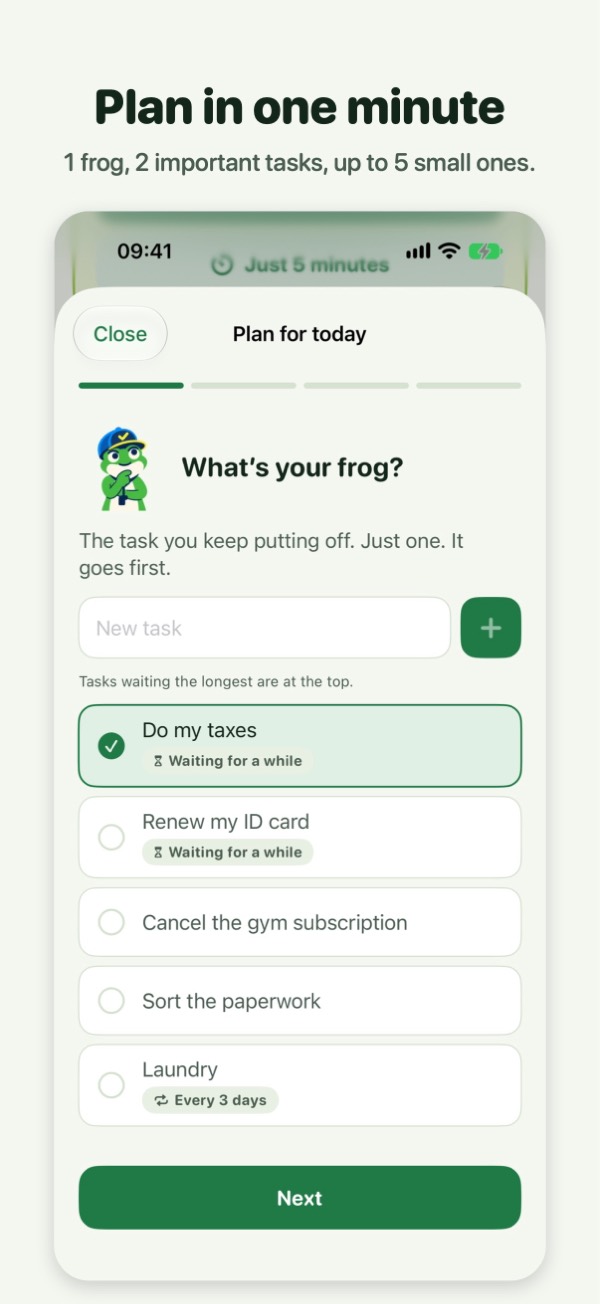 Plan in one minute
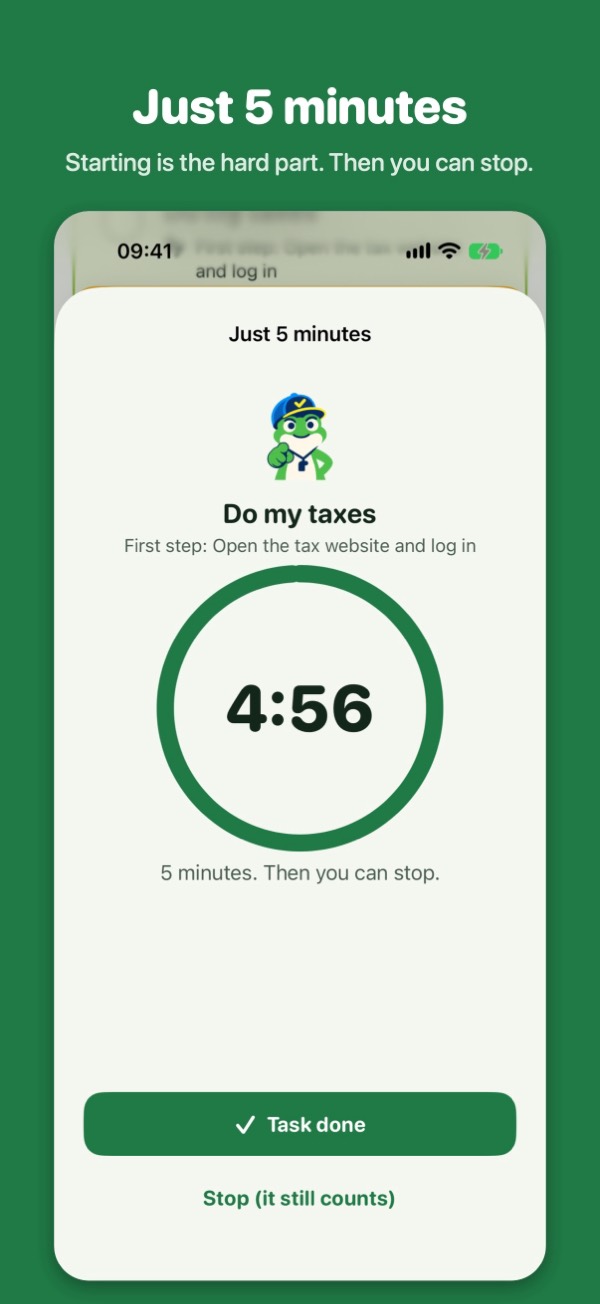 Just 5 minutes to get started
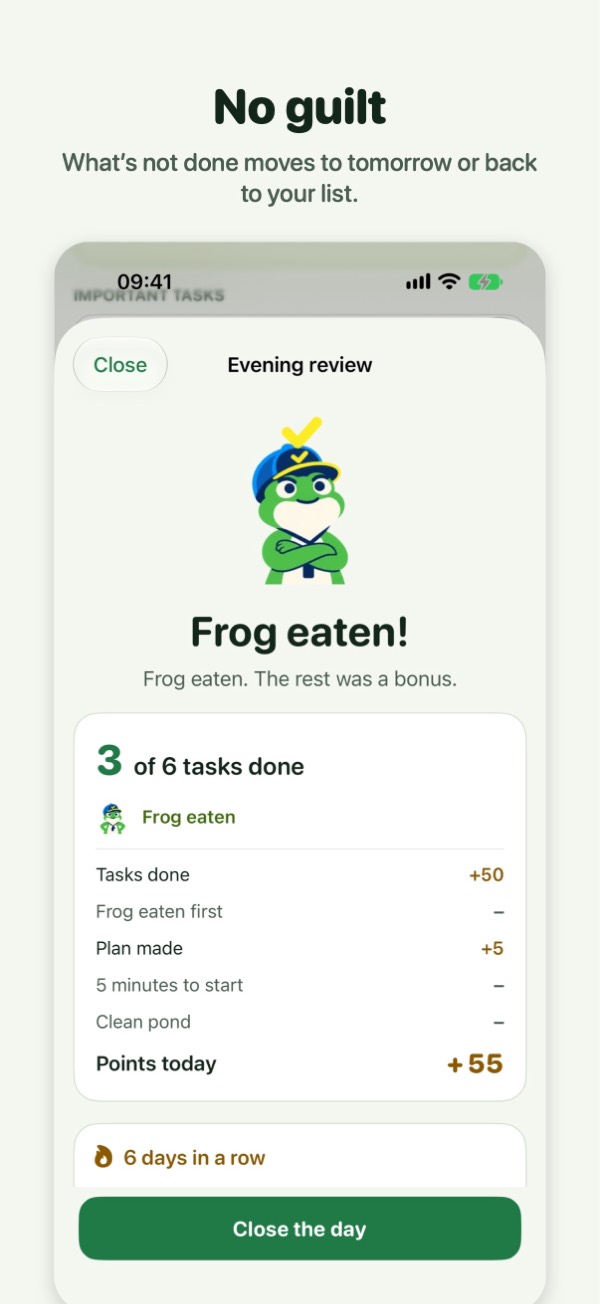 No guilt: what’s not done moves on
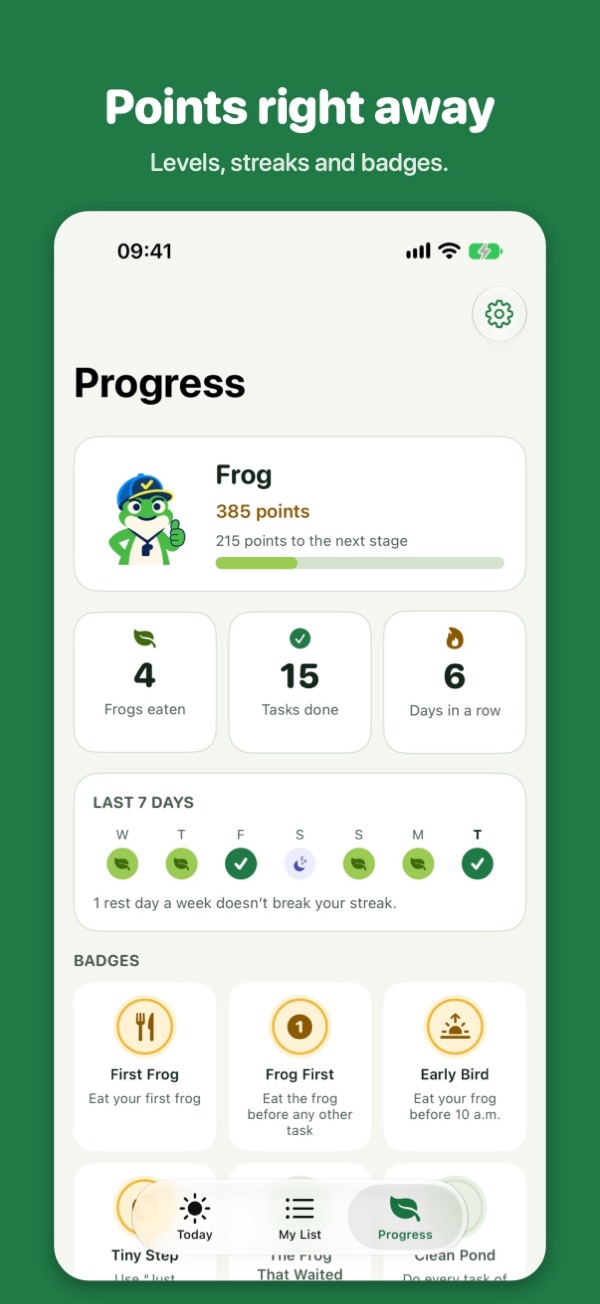 Points, levels, streaks and badges
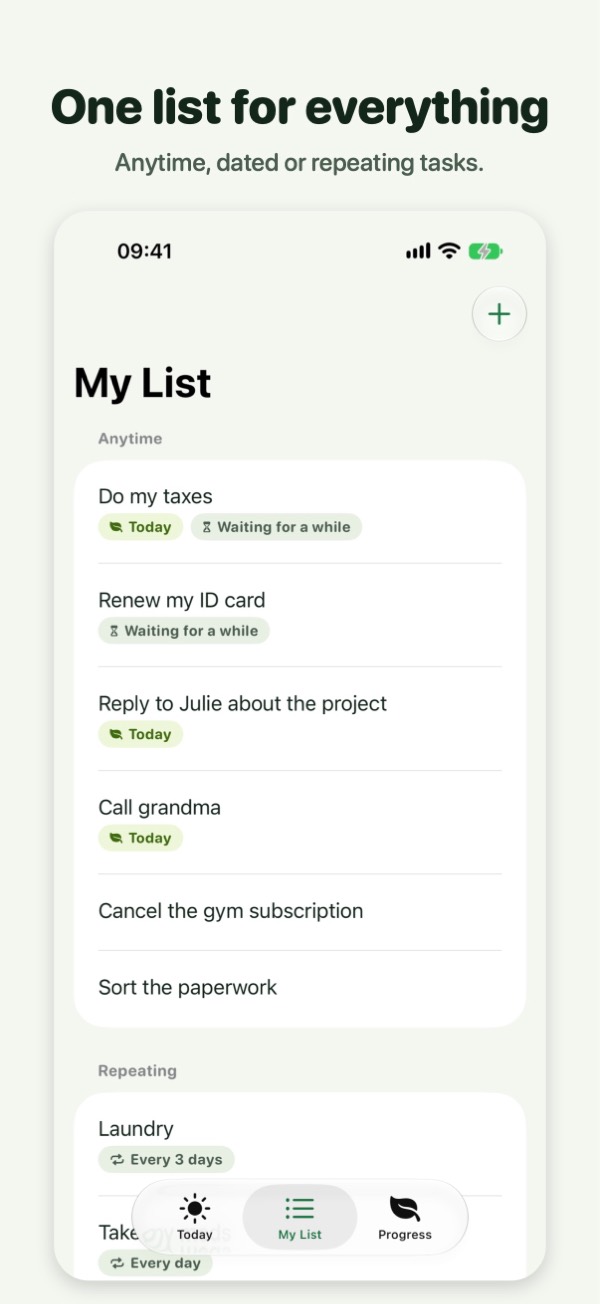 One list for everything
How do points, levels and badges work?
You get points the moment you tick a task, and your frog is worth more than the others, especially when you eat it first. Points move you up levels, from tadpole to legendary frog, and 15 badges mark milestones along the way.
What’s in Frogg Pro?
The method is free. Frogg Pro is a one-time purchase (€9.99 in France), with no subscription and no ads:
| Free | Frogg Pro | |
|---|---|---|
| Frog, important and small tasks, list, reminders, evening review, points, streak, badges | Yes | Yes |
| Repeating tasks | 3 | Unlimited |
| History | Last 7 days | Full |
| Home Screen and Lock Screen widgets, tick your frog without opening the app | No | Yes |
| 5-minute timer in the Dynamic Island | No | Yes |
| Extra app icons | No | 3 |
You can try Pro free for 7 days. The trial ends on its own: nothing to cancel.
Frequently asked questions
Do I need an account to use Frogg?
No. Frogg has no account and no sign-up. Your tasks, points and history stay on your iPhone, and Frogg collects no data.
Can I use Frogg without the frog?
Yes. The frog is first on the list, and it earns more points, but nothing forces you to start with it. On some days a small task gets you moving; Frogg still counts every tick.
What kinds of tasks can I add?
Anytime tasks, dated tasks and repeating tasks: every day, on weekdays, on some days of the week, or every month. The free version keeps up to 3 repeating tasks; Frogg Pro removes the limit.
Is Frogg a treatment for ADHD?
No. Frogg is a tool, not a treatment. It helps you plan a short day and start the task you avoid. If ADHD weighs on you, talk to a health professional.